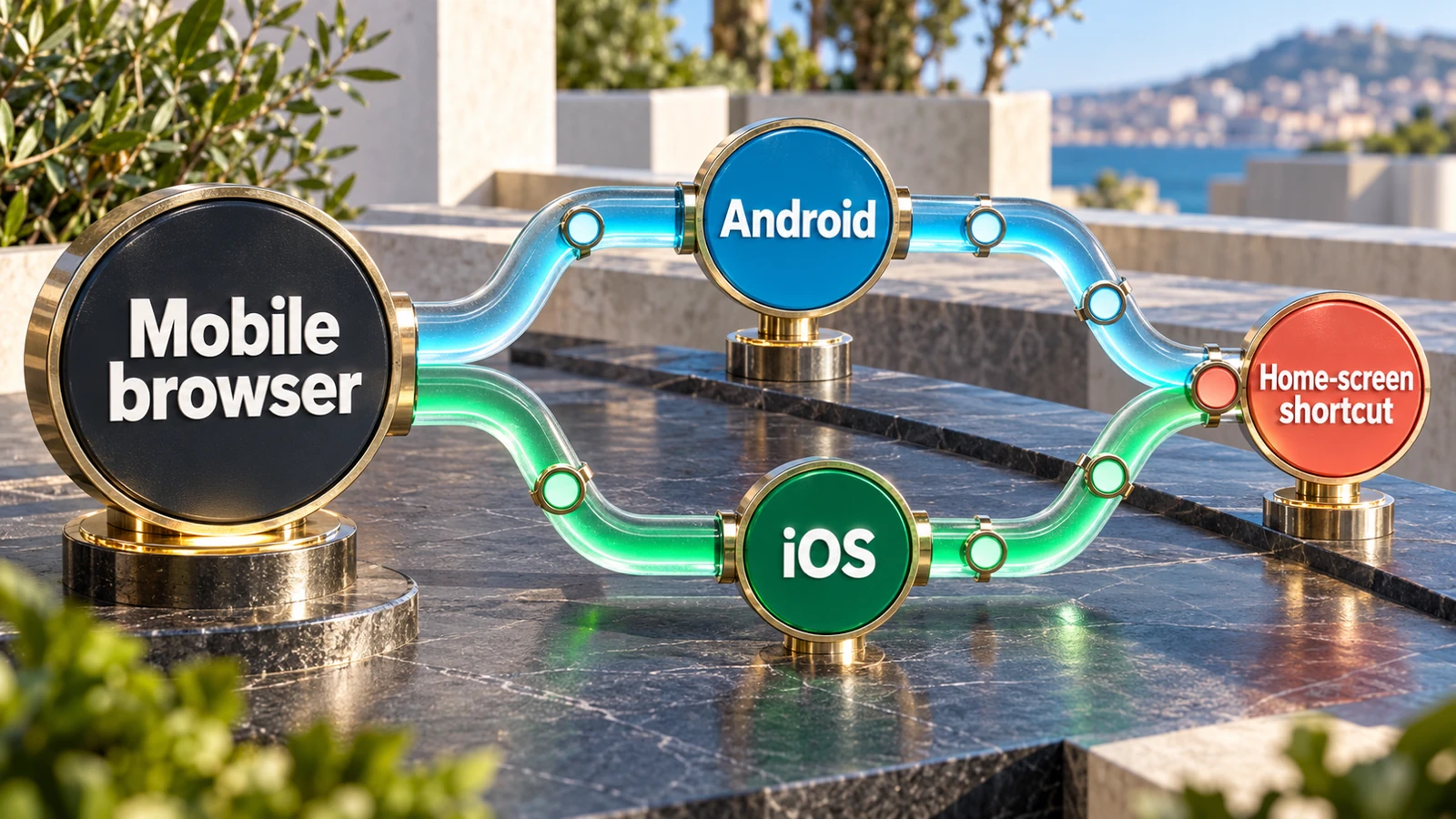
The MyStake casino app is best understood as mobile browser access, not a confirmed native download. Current independent coverage consistently describes a responsive site for Android and iOS, and I found no verified App Store listing, Google Play listing, package name or signed APK in the available material. You can use the same account in a current browser and, if you want quicker repeat access, add a shortcut to your home screen. That shortcut can look app-like, but it is still the website.
This distinction is more than a technical detail. A genuine native app has a named developer, a store record, a package identity and an update route. A browser shortcut has none of those because it simply opens the mobile site. A file from an APK mirror is a fourth route entirely, and I would not enter login details or upload documents through one unless MyStake itself supplied a verifiable path to that exact package.
Browser, shortcut, native app or APK?
| Mobile route | What it is | Practical use | My assessment |
|---|---|---|---|
| Responsive browser | The MyStake website adapted to a phone or tablet screen | Login, game browsing, sportsbook, cashier and account controls | The clearest evidence-backed route |
| Home-screen shortcut | An icon that opens the website in Safari or Chrome | Faster return visits without typing the address | Convenient, but not a native application |
| Native iOS or Android app | Installed software with a verified store and developer identity | Potential device-level features and managed updates | Not established by the current evidence |
| Third-party APK | An Android installation file hosted outside a verified store route | Sideloading | Avoid unless the exact file and publisher can be verified through MyStake |
When people search for a MyStake app download, these four routes often get bundled together. They should not be. The responsive site and a home-screen icon can provide an app-like experience without installing a binary. Calling that a PWA is reasonable only when the site offers the relevant web-app behaviour; the safe description here is browser access with an optional shortcut.
How to use MyStake on Android
- Open an up-to-date browser such as Chrome on your Android phone or tablet.
- Reach the expected MyStake consumer route rather than choosing a result because it displays the right logo.
- Check the address before entering your existing account details.
- Use the browser menu to add a home-screen shortcut only if it makes repeat access easier.
- Confirm that search, account controls, terms and support remain reachable at mobile width.
This route does not install a MyStake Android app. It creates an icon that points back to the site. That is a useful option for regular access because there is no separate file to update, but it also means any outage or browser issue affects the shortcut in the same way as an ordinary tab.
If sign-in fails, keep the diagnosis on the browser route. Check the address, your saved credentials, cookies and whether another current browser gives the same result. Password recovery and account-access problems belong in the MyStake login guide; downloading an APK is not a sensible fix for a login problem.
How to use MyStake on iPhone or iPad
On iOS, open Safari and visit the expected MyStake site. Sign in with the account you already use rather than creating a second account for mobile. For quicker return visits, open Safari's sharing panel and select Add to Home Screen. The icon will launch the web route, so there is no separate MyStake iOS app installed from that action.
The difference is easy to spot. A native iPhone app appears in the App Store under a named developer, has a version history and updates through Apple. A Safari shortcut opens a web address and depends on the browser. I prefer the second route here because it matches the available evidence and avoids pretending that an unverified store listing exists.
iPad users should make the same judgement by task. A larger screen can make the casino lobby, live tables and sportsbook easier to scan, but the product is still the responsive website. Landscape mode may help with dense menus; portrait mode is the better test of whether the cashier and support controls remain practical on a smaller display.
What the MyStake casino mobile route should cover
Independent guides describe the mobile build as covering the main casino, live casino, sports betting, promotions and account areas. They also report search and filtering, with access to slots, table games, live dealer content, sports markets and MyStake's own quick-play titles. I would treat that as a map of what to look for, not a promise that every desktop title or feature will appear on every device.
The cashier and promotions may also be reachable from a phone. That does not make the small screen the best place to assess complex conditions. For offer eligibility and wagering details, move to the MyStake bonus-code guide. For payment stages and timing, use the MyStake withdrawal guide. This page stays focused on access and usability rather than repeating figures that can change.
My five-task check for mobile usability
I would judge the MyStake casino app query by five ordinary jobs, not by how polished the first banner looks. You can run this check without claiming a promotion or making a payment:
- Find one known game or provider. Search should reduce the lobby rather than send you through several large category panels.
- Locate favourites or recent games. A return session should not start from zero every time.
- Reach the cashier. The account menu and transaction area should be obvious without an accidental deposit tap.
- Open the relevant terms. Bonus and account rules need to remain readable on a narrow screen.
- Find support. Help should be reachable from the account or main menu before a problem occurs.
The point is to test the route you will actually repeat. A slots player may care most about search and favourites. Someone who moves between football markets and live casino needs a short, stable path back to each section. A player managing verification or a withdrawal needs readable account messages more than dramatic game artwork.
Mobile browser versus desktop
Browser access has a strong convenience case: no installation, no separate update cycle and one set of account credentials. It also reduces the temptation to trust a file simply because it carries familiar branding. For quick browsing or returning to one favourite, that may be all you need.
Desktop still has advantages when information is dense. Comparing promotion terms, reviewing a long transaction history or checking document requirements is usually calmer on a larger display. On mobile, banners, menus and game cards compete for limited space, and a weak connection can make navigation feel more awkward than the same site on a laptop.
My view is straightforward: use the phone for tasks that remain clear at a glance, and move to a larger screen when a decision depends on several conditions. Mobile convenience should shorten a routine, not encourage you to skip a term because the page is fiddly.
Why I would not use an unverified MyStake APK
A search result labelled MyStake app download is not proof of an official package. Before an Android file could be treated as credible, I would expect an exact link from the recognised MyStake route, a clear developer identity, a consistent package name, a sensible permission list and an update source that stays under the same control. None of that is established by the material used for this page.
The downside is practical. A sideloaded client can capture credentials, keep an outdated session, request unnecessary permissions or imitate cashier screens. It can also leave you unsure where future updates come from. If a file asks you to disable normal Android protections, that is a firm reason to stop.
The same caution applies to supposed iOS profiles or configuration downloads. A home-screen shortcut created by Safari is enough for quicker access; there is no need to install a profile merely to open a responsive website. Do not upload ID, payment details or source-of-funds documents through a route whose publisher you cannot verify.
One-tap home-screen access can make opening the site a habit rather than a deliberate choice. Use any time or deposit controls available to you, and remove the shortcut if you notice yourself opening it automatically.
My expert verdict
I would choose the responsive browser route rather than hunt for a native MyStake app. It answers the main mobile need without adding a questionable download, and the optional home-screen shortcut handles convenience for repeat visits. The trade-off is that you do not get a separately verified native client or store-managed identity.
That makes MyStake mobile a reasonable fit for someone who wants casino, live and sports access from one browser and is comfortable checking the address before signing in. It is a weaker fit for anyone who specifically wants an App Store or Google Play product with a published developer and version history. For the wider product decision, read the full MyStake casino review.
FAQ
Does MyStake have a native casino app?
The available independent sources do not establish a verified native iOS or Android package. They consistently describe MyStake as a responsive mobile website.
How do I use MyStake on Android?
Open the expected MyStake route in a current browser, check the address, then sign in with your existing details. You can add a home-screen shortcut from the browser menu if useful.
How do I use MyStake on iPhone or iPad?
Use Safari to open the site and sign in. Safari's Add to Home Screen option creates a shortcut to the website; it does not install a native MyStake iOS app.
Can I get a MyStake app download from an APK site?
You may find files using the brand name, but a third-party listing does not prove that the package is official. I would avoid it unless MyStake supplies a verifiable link to that exact file and publisher.
Can I use the cashier and promotions on mobile?
Independent guides report access to account, cashier and promotion areas in the mobile browser. Read detailed offer and withdrawal conditions on their dedicated pages before acting.
Does a home-screen icon work like an app?
It can feel similar because it opens with one tap, but it remains a shortcut to the responsive website. It has no separate store identity or native package.
What should I check first on MyStake mobile?
Try search, favourites or recent games, cashier access, terms and support. Those five tasks reveal more about everyday usability than the appearance of the first screen.